
Descrição
This plugin add frontend editor to your web-site. The plugin is easy to use. Please create empty page for editor, put shortcode [alshc_post_editor] on the created page.
Click to “WP FRONTEND PUBLISH EDITOR” menu in admin console. Follow to the instructions: set users capabilities and select the created page.
Ecrãs

Frontend editor page view 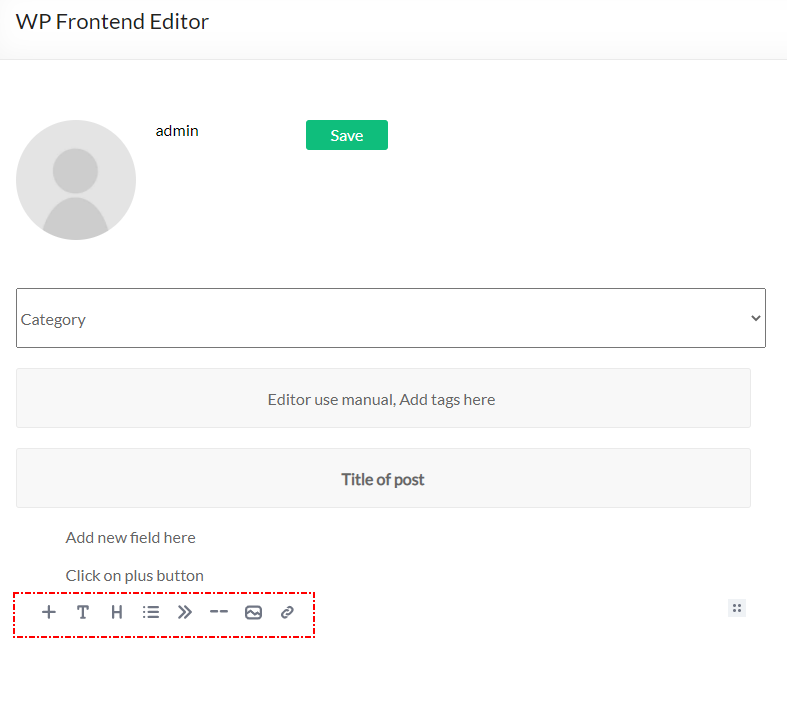
Frontend editor add new block 
Frontend editor change block features 
Backend editor menu item 
Backend editor manual 
Backend editor page selection 
Backend editor user capabilities
Instalação
- Upload plugin folder to the
/wp-content/plugins/directory - Activate the plugin through the ‘Plugins’ menu in WordPress
- Create a page for Editor
- Put shortcode [alshc_post_editor] on the created page
- Open setting page in admin console – “WP FRONTEND PUBLISH EDITOR”
- Follow to instructions:
6.1. Select the created page as Editor page
6.2. Cet users capabilities - Enjoy!
Perguntas frequentes
-
What is Editor the plugin based on?
-
The plugin based on EditorJS (https://editorjs.io/). Based on documentation of the Editor this software is Open Source project. If you are interested in the Editor you can donate for the project.
-
How can I add blocks to the Editor
-
The Editor team develope new features for their project so you can update the editor from the project sources (https://editorjs.io/)
-
If I need any special features
-
Contact to author of this plugin for commercial support.
Avaliações
Este plugin não tem avaliações.
Contribuidores e programadores
“AL Frontend Publish Editor” é software de código aberto. As seguintes pessoas contribuíram para este plugin:
Contribuidores
“AL Frontend Publish Editor” foi traduzido para 1 locale. Obrigado aos tradutores pelas suas contribuições.
Traduza o “AL Frontend Publish Editor” para o seu idioma.
Interessado no desenvolvimento?
Consulte o código, consulte o repositório SVN, ou subscreva o registo de alterações por RSS.
Registo de alterações
1.0 Initial version.