

Descrição
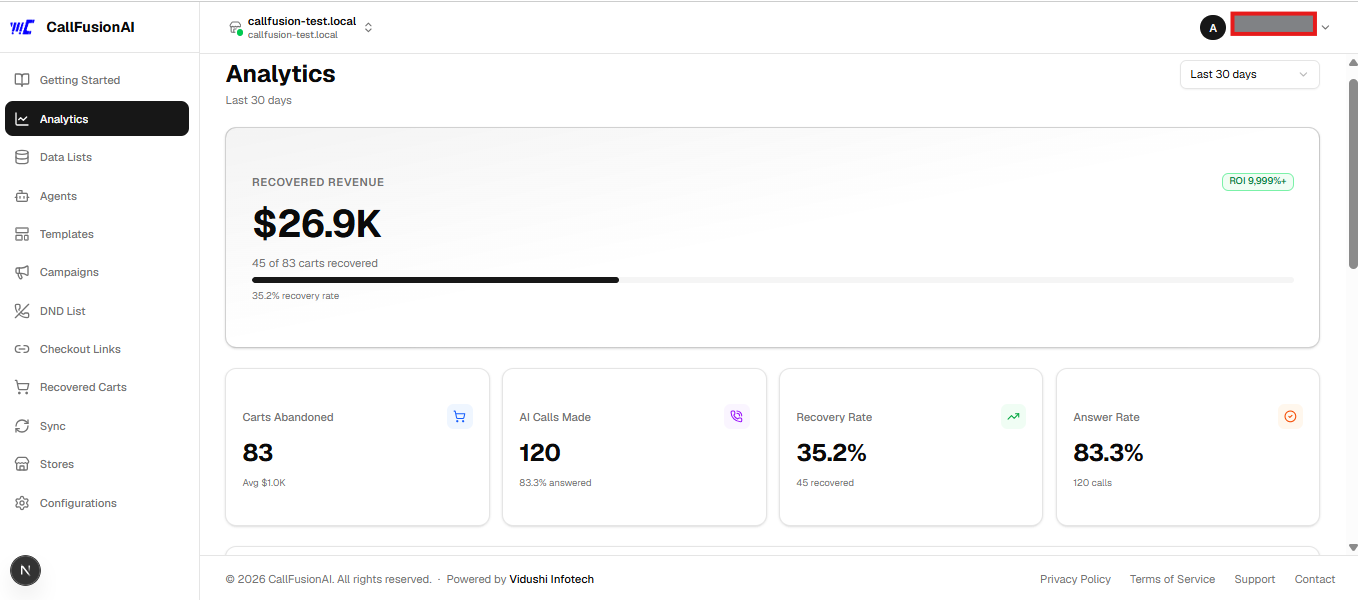
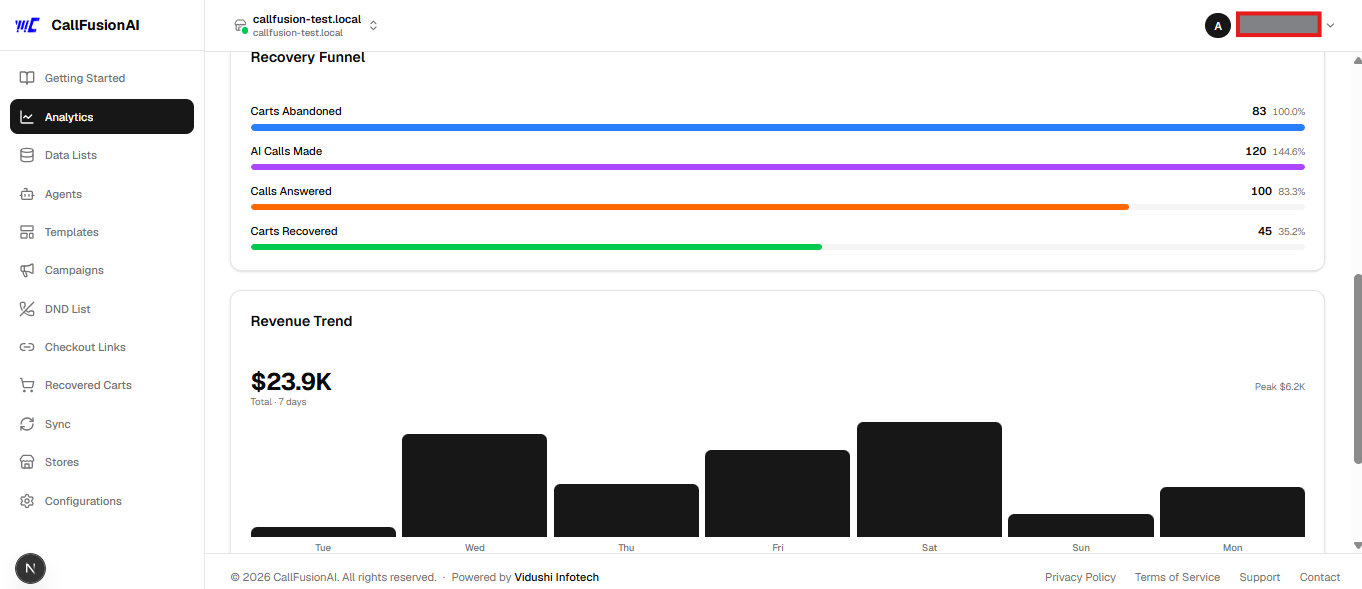
CallFusionAI Abandoned Cart connects your WooCommerce store to CallFusionAI — an AI-powered abandoned cart recovery platform that calls customers back via phone to help them complete their purchase.
How it works:
- A customer visits your checkout page and enters their email/phone
- If they leave without placing an order, this plugin captures the cart data
- The cart data is securely sent to CallFusionAI
- CallFusionAI’s AI agent calls the customer, offers assistance, and can send a discount code or checkout link via SMS
Features:
- Captures checkout abandonment in real-time (on email blur, tab close via sendBeacon, and periodic polling)
- Stores captured checkouts locally in a custom DB table as a fallback
- Retries failed webhook deliveries automatically via WP Cron (every 15 minutes)
- Marks carts as recovered automatically when the customer places an order
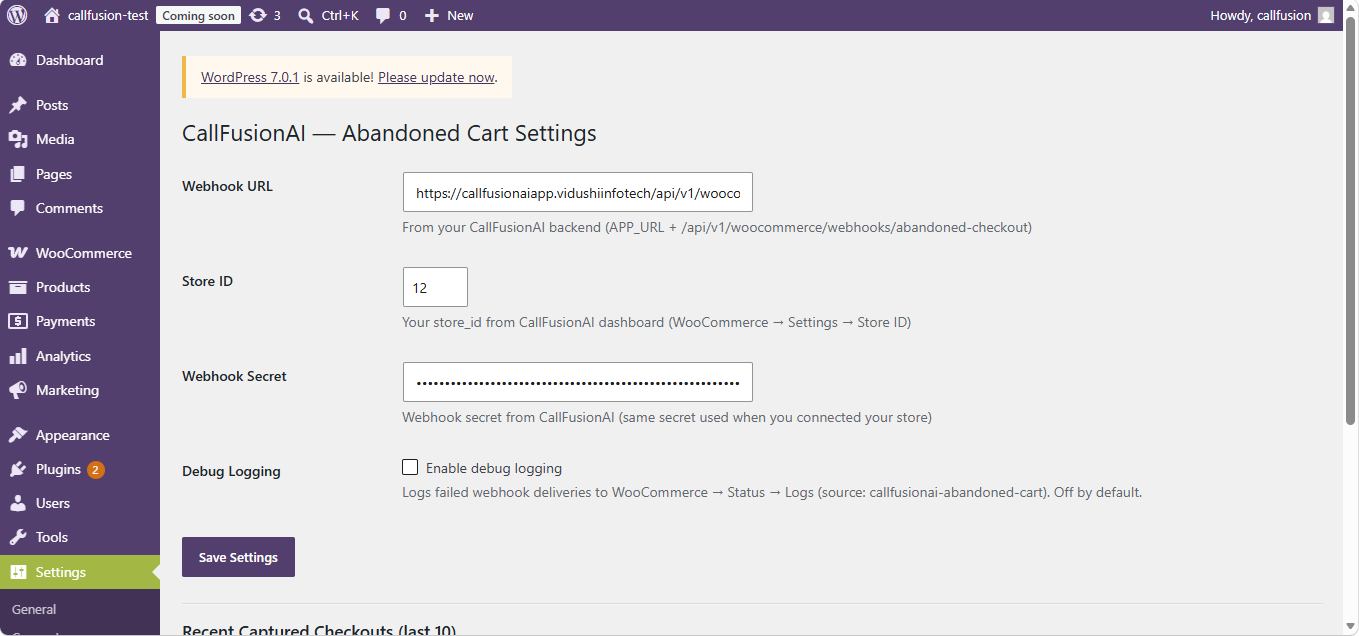
- Admin settings page to configure webhook URL, store ID, and secret
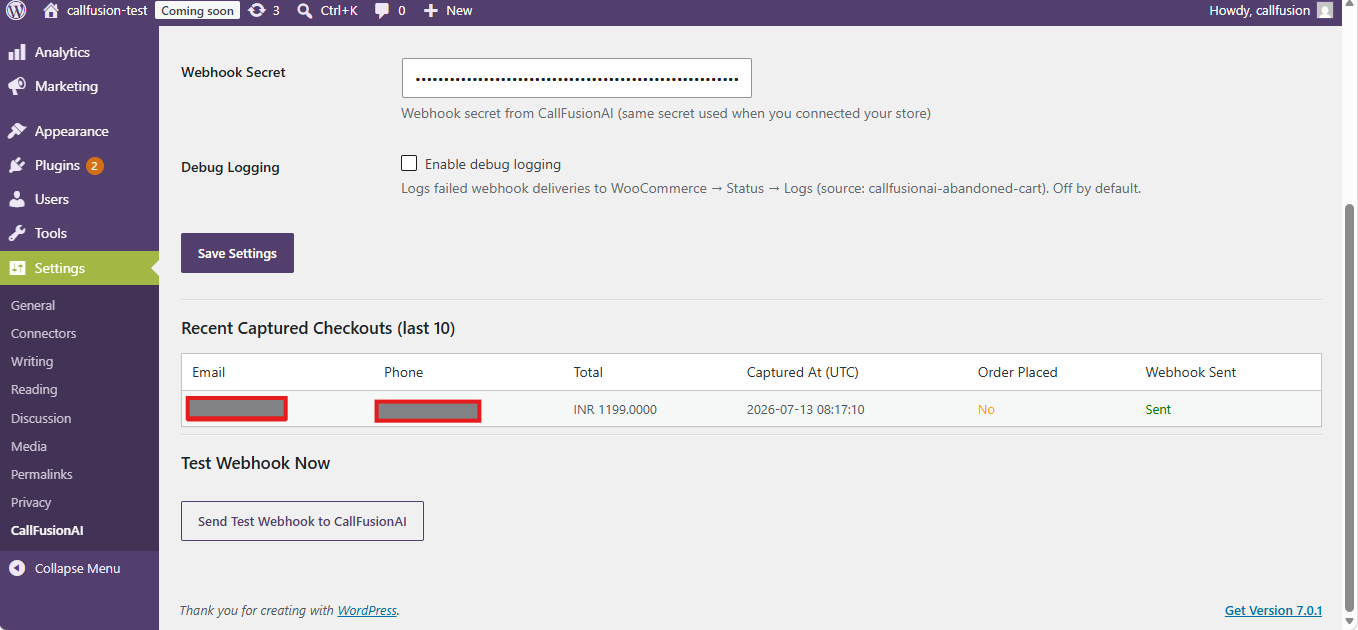
- Test webhook button to verify connectivity from your WordPress admin
- Debug table showing last 10 captured checkouts with webhook status
Requirements:
- A CallFusionAI account — sign up free at callfusionaiapp.vidushiinfotech.com
- WooCommerce 5.0 or later
- WordPress 6.0 or later
External Services
This plugin sends checkout data to the CallFusionAI service (https://callfusionaiapp.vidushiinfotech.com) when a customer abandons their cart on your WooCommerce checkout page.
What data is sent:
* Customer email address
* Customer phone number (if entered)
* Customer first and last name (if entered)
* Cart total and currency
* Cart items (product name, quantity, price)
* Checkout URL
* A session token (hashed — no personally identifiable raw session ID)
When data is sent:
* Immediately when a customer enters a valid email on the checkout page and leaves without placing an order
* Retried every 15 minutes via WP Cron if the initial send fails
Why data is sent:
* To enable CallFusionAI’s AI agents to contact the customer and help them complete their purchase
CallFusionAI service links:
* Website: https://callfusionaiapp.vidushiinfotech.com
* Terms of Service: https://callfusionaiapp.vidushiinfotech.com/terms
* Privacy Policy: https://callfusionaiapp.vidushiinfotech.com/privacy
No data is sent to any other third party.
Ecrãs
Instalação
Recommended — Auto-configure via CallFusionAI dashboard
- In WordPress, go to Plugins Add New and search for “CallFusionAI Abandoned Cart”
- Click Install Now then Activate
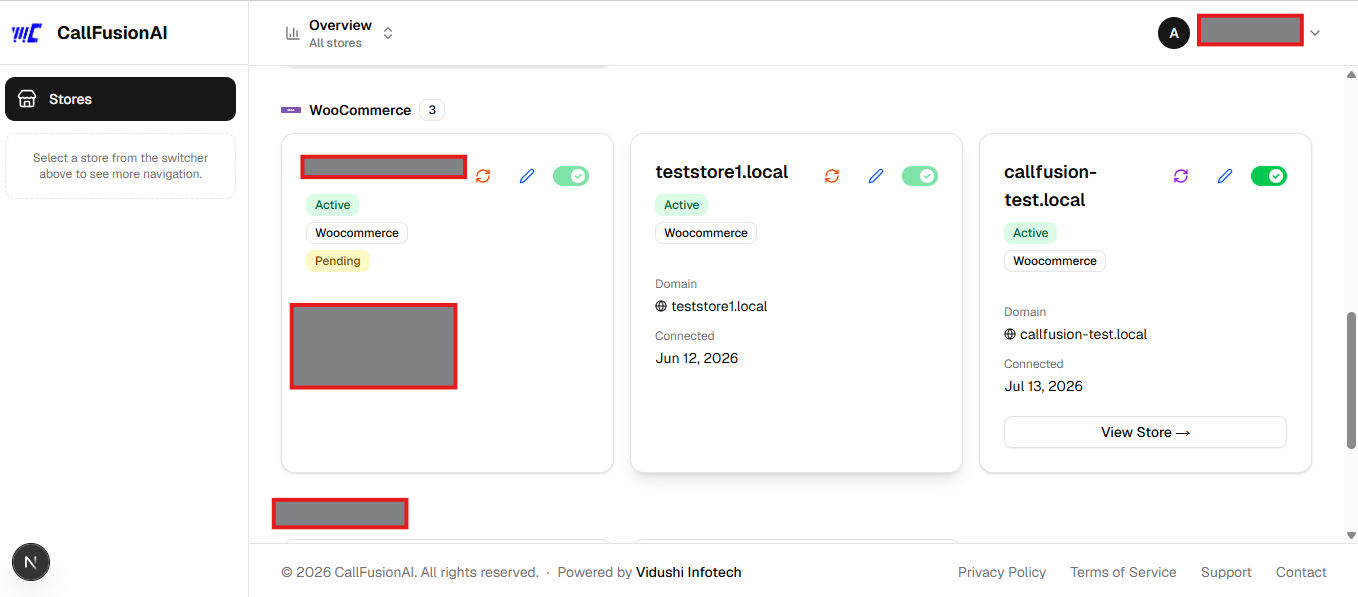
- Log in to your CallFusionAI dashboard and connect your WooCommerce store — CallFusionAI will automatically push the webhook URL, store ID, and secret to the plugin. No manual settings entry needed.
Manual configuration (optional fallback)
- Install and activate the plugin as above
- Go to Settings CallFusionAI
- Enter your Webhook URL, Store ID, and Webhook Secret from your CallFusionAI dashboard
- Click Save Settings
- Click Send Test Webhook to verify the connection
Perguntas frequentes
-
Do I need a CallFusionAI account?
-
Yes. This plugin is the WooCommerce connector for the CallFusionAI platform. You need an active account at callfusionaiapp.vidushiinfotech.com to use it.
-
Where do I find my Webhook URL, Store ID, and Secret?
-
Log in to CallFusionAI go to Stores click your WooCommerce store click Plugin Setup Info. All three values are shown there.
-
Does the plugin work with WooCommerce Blocks checkout?
-
Yes. The plugin uses multiple capture methods (event listeners, polling, and sendBeacon on tab close) to handle both classic and Blocks checkout.
-
Is customer data stored locally?
-
Yes. Captured checkouts are stored in a custom database table (
wp_callfusion_abandoned_checkouts) as a fallback in case the webhook delivery fails. Data is retried and marked as sent once delivered. On plugin uninstall, this table is removed. -
Is the data transfer secure?
-
Yes. Every webhook request is signed with HMAC-SHA256 using a secret key unique to your store. CallFusionAI verifies this signature before processing the data.
-
What happens when a customer places an order?
-
The plugin listens for the
woocommerce_checkout_order_createdhook and marks the matching cart as converted, preventing any recovery attempt. -
Can I test the connection without a real customer?
-
Yes. Go to Settings CallFusionAI and click Send Test Webhook to fire a test payload to your CallFusionAI backend.
-
Can I see why a webhook delivery failed?
-
Yes. Turn on Enable debug logging on the Settings CallFusionAI page, then check WooCommerce Status Logs for entries from source
callfusionai-abandoned-cart. Off by default — nothing is logged unless you opt in.
Avaliações
Este plugin não tem avaliações.
Contribuidores e programadores
“CallFusionAI Abandoned Cart” é software de código aberto. As seguintes pessoas contribuíram para este plugin:
Contribuidores
Traduza o “CallFusionAI Abandoned Cart” para o seu idioma.
Interessado no desenvolvimento?
Consulte o código, consulte o repositório SVN, ou subscreva o registo de alterações por RSS.
Registo de alterações
1.0.7
- Fixed cart data capture on WooCommerce Blocks checkout to read real values from the Store API instead of stale/empty fields
- Outbound webhook is now debounced per WC session (120s) so rapid edits (e.g. correcting a typo’d email) no longer fire one webhook per intermediate value
- Checkout links sent via SMS/WhatsApp/email now restore the customer’s actual abandoned cart items before redirecting to checkout, instead of opening a blank checkout page on their device
1.0.6
- Text domain corrected to
callfusionai-abandoned-cartto match the plugin slug, per WordPress.org plugin review - The
/callfusion/v1/configureREST endpoint now also verifies the WooCommerce API key has write permission and that its owning user can manage WooCommerce, instead of only checking the key/secret pair exists, per WordPress.org plugin review
1.0.5
- Fixed a fatal-error risk: checkout-script enqueue and AJAX capture handler now check WooCommerce is active before calling WooCommerce functions, instead of assuming it always is
- Added
Requires Plugins: woocommerceheader so WordPress blocks activation without WooCommerce installed - Added full internationalization support (text domain
callfusion-abandoned-cart, all admin-facing strings translatable) - Added opt-in debug logging (via WC_Logger) for failed webhook deliveries — off by default, toggle on the settings page
- All
$_POSTvalues now unslashed withwp_unslash()before sanitization, per WordPress coding standards - Custom-table queries now use
$wpdb->prepare()‘s%iidentifier placeholder instead of interpolating the table name directly (bumpedRequires at leastto 6.2, which added%isupport)
1.0.4
- Moved checkout-capture JavaScript out of an inline
wp_footerscript tag into a properly enqueued file (wp_enqueue_script()+wp_localize_script()), per WordPress.org plugin review guidelines
1.0.3
- Auto-configure support: added REST endpoint
/wp-json/callfusion/v1/configureso CallFusionAI can push webhook credentials to the plugin automatically after OAuth — no manual settings entry needed - Removed hardcoded default constants — all configuration now comes exclusively from
wp_options(WordPress.org compliance) - Removed external HTTP call on plugin activation
1.0.2
- Remove debug console.log that logged customer PII to browser console
- Use $wpdb->prepare() for all direct database queries
1.0.1
- Capture customer first/last name during checkout abandonment (previously only email/phone were sent)
1.0.0
- Initial release
- Real-time checkout capture via JS (blur, polling, sendBeacon)
- Immediate webhook delivery with 15-minute cron retry fallback
- Order placed detection to prevent calling converted customers
- Admin settings page with test webhook button
- Debug table showing last 10 captured checkouts