
Descrição
FormThrottle Logger helps reduce spam and repeated form abuse by limiting how many submissions a single IP address can make within a chosen time period for Gravity Forms and Contact Form 7.
Features:
* Monitors submissions by IP address for Gravity Forms and Contact Form 7
* Blocks repeat offenders once the configured threshold is reached
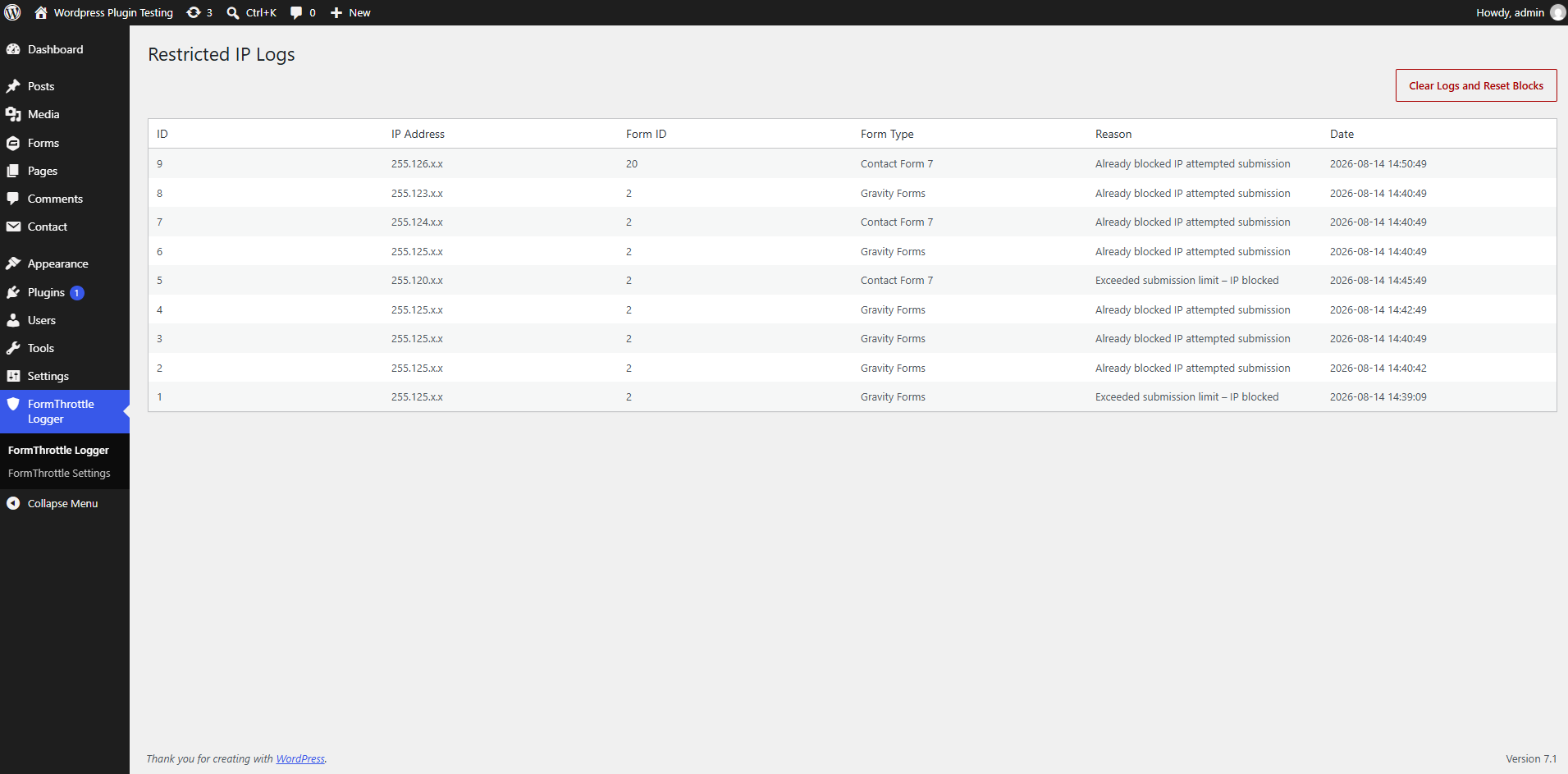
* Logs the IP address, form ID, source type, reason, and timestamp
* Adds a log screen in the plugin admin menu for reviewing blocked attempts
* Lets you choose which integrations are protected and configure the threshold and time window
Configuration
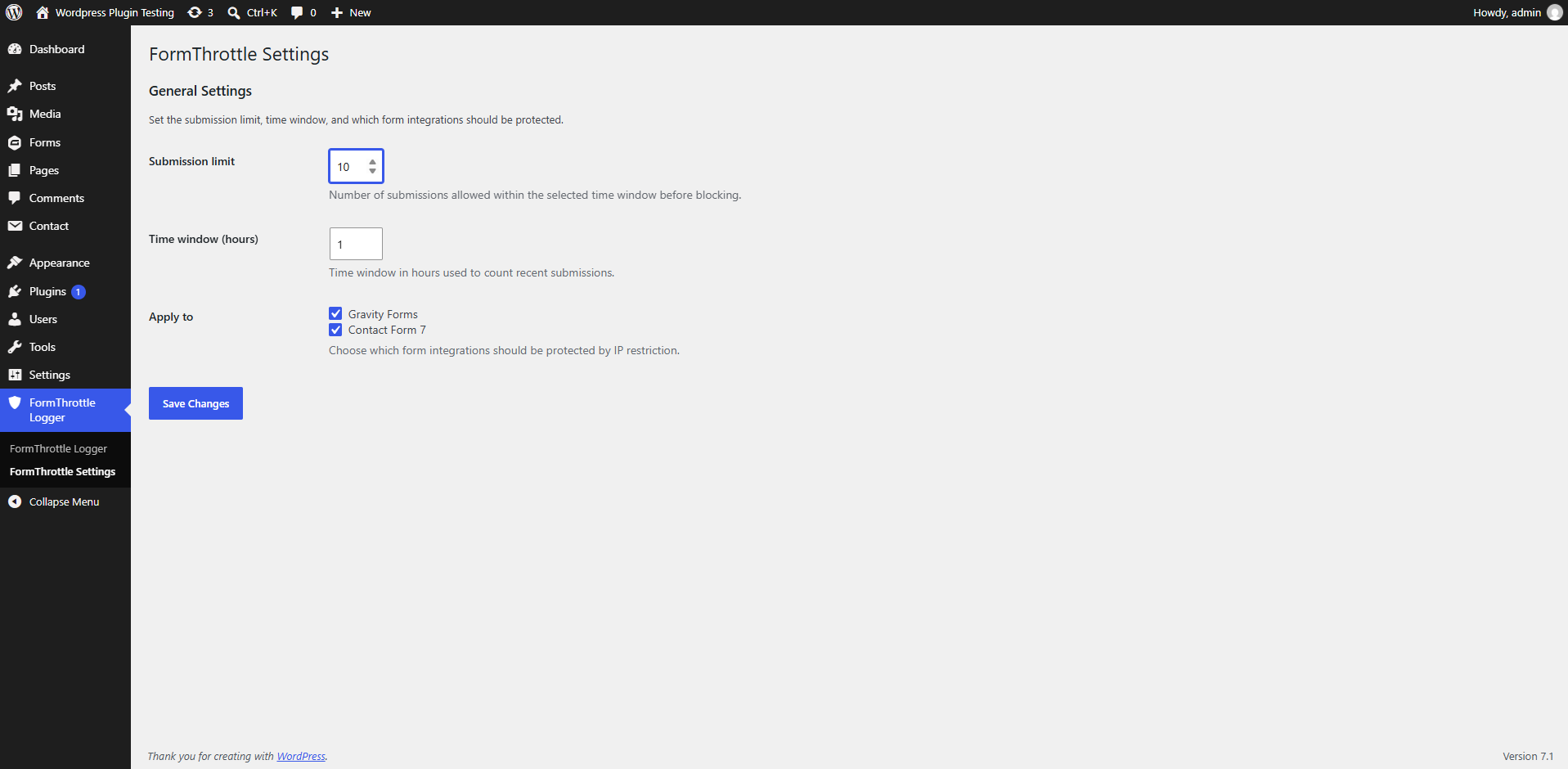
By default, the plugin allows 10 submissions within a 1-hour window. Both Gravity Forms and Contact Form 7 are enabled by default in the “Apply to” settings.
To change this:
- Open the FormThrottle Logger Settings page from the admin menu.
- Set the submission limit and the time window in hours.
- Select which integrations should be protected.
- Save your changes.
Ecrãs
Instalação
- Upload the plugin files to the /wp-content/plugins/formthrottle-logger/ directory, or install it directly through the WordPress plugins screen.
- Activate the plugin through the ‘Plugins’ screen in WordPress.
- Make sure Gravity Forms or Contact Form 7 is installed and active.
- Open the FormThrottle Logger menu in the WordPress admin area.
- Review the “Restricted IP Logs” page or open Settings to adjust the submission limit and time window.
Perguntas frequentes
-
Does this plugin require Gravity Forms or Contact Form 7?
-
Yes. This plugin supports Gravity Forms and Contact Form 7 and works when at least one of these plugins is installed and activated.
-
What happens when an IP is blocked?
-
The submission is rejected and the event is recorded in the plugin log with the IP address, form ID, source type, reason, and timestamp.
-
Can I change the submission limit?
-
Yes. You can configure the threshold and time window from the FormThrottle Logger Settings page.
-
How do I view the logs?
-
Open the FormThrottle Logger admin menu and select “Restricted IP Logs”.
Avaliações
Este plugin não tem avaliações.
Contribuidores e programadores
“FormThrottle Logger” é software de código aberto. As seguintes pessoas contribuíram para este plugin:
Contribuidores
Traduza o “FormThrottle Logger” para o seu idioma.
Interessado no desenvolvimento?
Consulte o código, consulte o repositório SVN, ou subscreva o registo de alterações por RSS.
Registo de alterações
1.0
- Initial release.