

Descrição
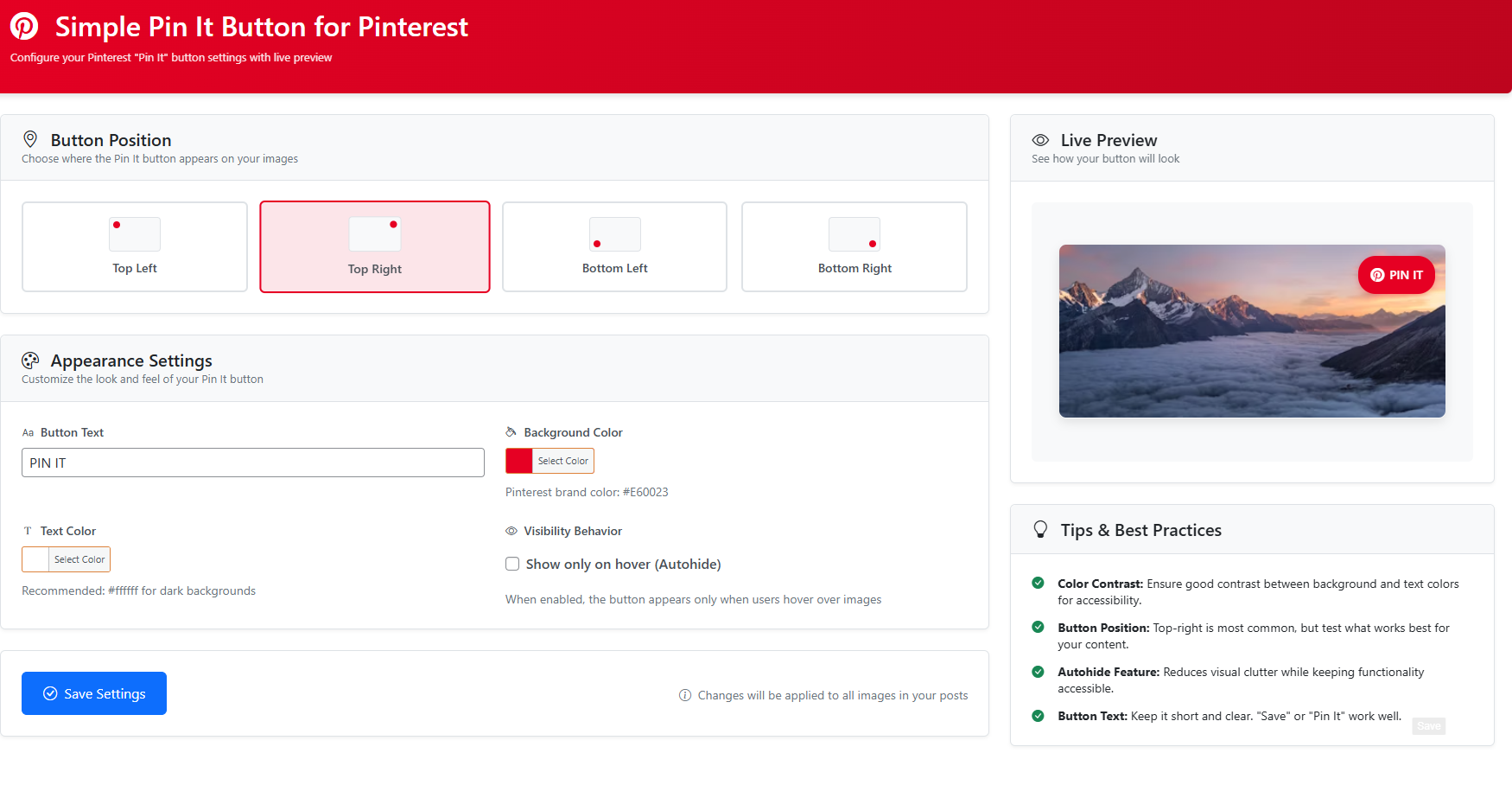
Simple Pin It Button for Pinterest is a lightweight WordPress plugin that allows you to add a “Pin It” button overlay to images in your posts. The button is fully customizable through the plugin settings page, where you can adjust:
- Button location (Top Left, Top Right, Bottom Left, Bottom Right)
- Button background color
- Font color
- Enable or disable autohide
- Customize the “Pin It” text
Encourage your visitors to share your content on Pinterest with ease!
Ecrãs
Instalação
- Upload the
simple-pinterest-pinfolder to the/wp-content/plugins/directory, or install the plugin directly through the WordPress Plugins screen. - Activate the plugin through the ‘Plugins’ screen in WordPress.
- Go to ‘Settings > Simple Pin It Button’ to configure your options.
Perguntas frequentes
-
Yes, you can customize the text (e.g., “Pin It”, “Save It”) from the plugin settings page.
-
Does this plugin work with all themes?
-
The plugin works with most WordPress themes.
-
Is this plugin compatible with the latest WordPress version?
-
Yes, Simple Pin It Button for Pinterest is tested with the latest WordPress version (6.7).
Avaliações


Contribuidores e programadores
“Simple Pin It Button for Pinterest” é software de código aberto. As seguintes pessoas contribuíram para este plugin:
Contribuidores

Traduza o “Simple Pin It Button for Pinterest” para o seu idioma.
Interessado no desenvolvimento?
Consulte o código, consulte o repositório SVN, ou subscreva o registo de alterações por RSS.
Registo de alterações
1.2
- Settings page redesigned
1.1
- CSS Issue Fixed on Elementor
1.0
- Initial release with customizable “Pin It” button functionality.