

Descrição
Syngency’s WordPress plugin enables you to display your divisions, models, and galleries from Syngency on your WordPress website.
Any changes made in Syngency are reflected on your WordPress site instantly, and you have complete control of the way the division and model portfolio templates that are displayed on your site.
Important: Use of this plugin is in accordance with the Syngency Terms of Service.
Options
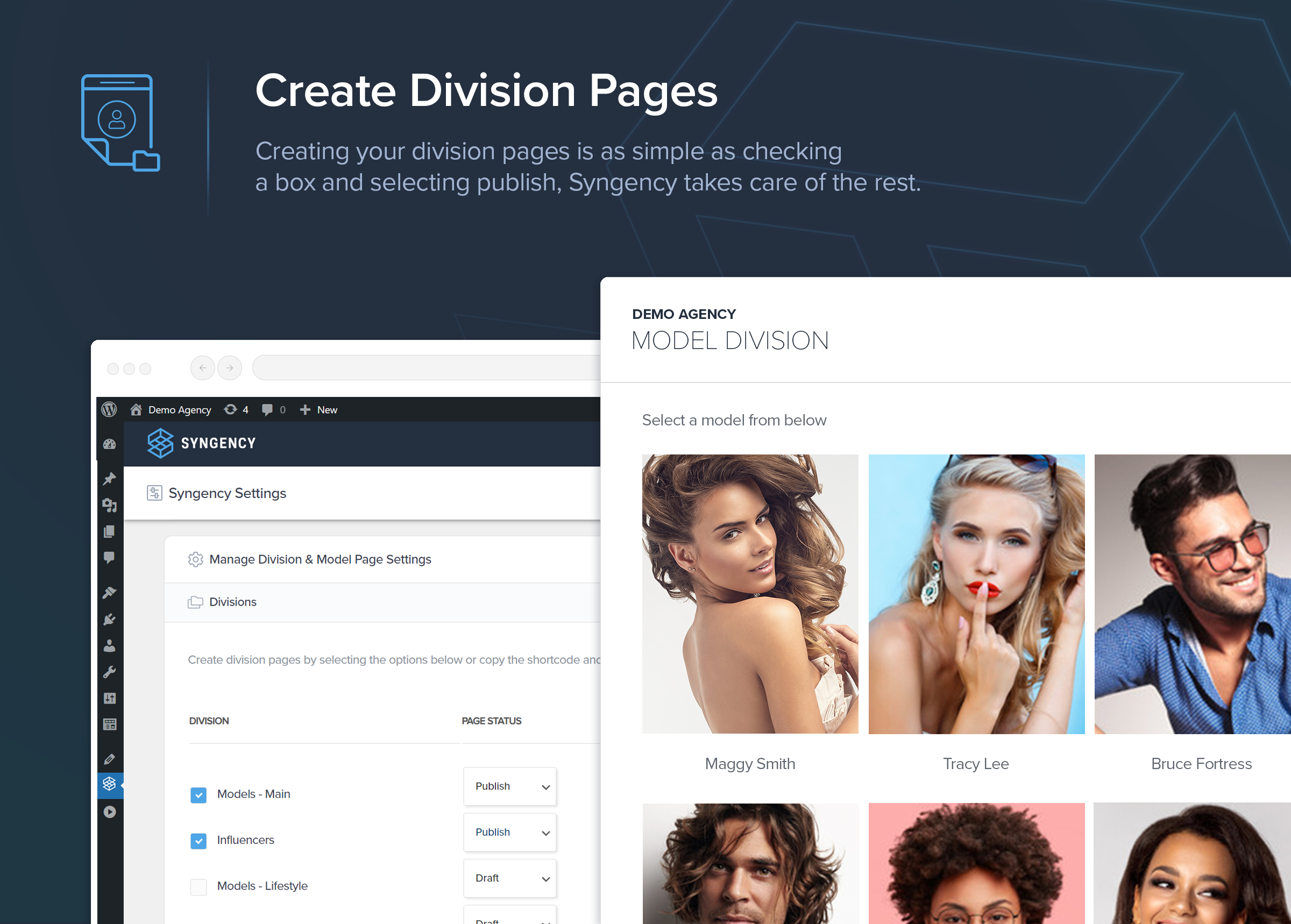
Create Division Pages
*Create and manage your division pages by checking each division and Click ‘Save’ to create division pages automatically.
*Toggle division page status by selecting ‘Publish’/’Draft’.
*Create pages by also clicking on the “Shortcode” button and pasted into your Post / Page.
Appearance
Select which measurement fields are listed on the model portfolio template.
Gallery Image Size
Select which image size (Small/Medium/Large) will be used to display gallery images.
Gallery Images Link To
Select which image size (Small/Medium/Large) will be linked to from gallery images.
Templates
The Division and Model templates use a combination of HTML, CSS, Liquid, and Javascript (optional) to control the look and functionality of the pages rendered by the plugin. Any changes made to these templates will be reflected on your site.
Usage
Create a page for your first Syngency division, and place the following shortcode, along with a reference to the URL of the Syngency division you wish to display on that page:
[syngency division="fashion-models"]
Additionally, the office attribute, and division gender filter (men/women/boys/girls/non-binary) can be added to filter the division results:
[syngency office="chicago" division="fashion-models/women"]
The office attribute must be the name of the associated office subdomain you have added under Settings > Domains in Syngency.
Ecrãs


Instalação
From your WordPress dashboard
- Visit Plugins > Add New
- Search for “Syngency”
- Install and Activate the
Syngencyplugin from the plugins page - Visit your Syngency account (eg: yourdomain.syngency.com) and click Settings > API, check the box labelled Enable API Access, click Save, and then copy the API Key.
- Paste the API Key to the Syngency > API Settings section in WordPress. You’ll also need to enter your Syngency domain (in the format
yourdomain.syngency.com)
Avaliações
Este plugin não tem avaliações.
Contribuidores e programadores
“Syngency” é software de código aberto. As seguintes pessoas contribuíram para este plugin:
Contribuidores
Traduza o “Syngency” para o seu idioma.
Interessado no desenvolvimento?
Consulte o código, consulte o repositório SVN, ou subscreva o registo de alterações por RSS.
Registo de alterações
1.4.0
Release Date 9th April 2024
- Fix – Division pages and models pages working correctly in PHP 8.0
- Enhancement – Syngency plugin is now a Admin Panel Menu Item and no longer in the Admin ‘Settings > Syngency’ Menu.
- Enhancement – List of all divisions with checkboxes and shortcode preview, creates division pages automatically when you Click ‘Save’.
- Enhancement – Toggle division page status from “Publish” or “Draft”.
- Enhancement – Templates > Model now displays Video & Audio files (YouTube, Vimeo, MP4, MP3)
- Enhancement – Admin Area frontend revamp
1.4.1
Release Date 29th April 2024
- Fix – Code Editor textbox displays under the header when scrolling
- Enhancement – New heading panel placed below the Syngency header with the “Save” Button fixed to the top.
- Enhancement – Admin area elements styled with custom styles and icons.
- Enhancement – New headers created with subheaders for page modifications under “Manage Division & Model Page Settings” and “Customize Templates”.
- Enhancement – Copy “Shortcodes” by clicking on the shortcode button under Divisions.
- Enhancement – Measurements header changed to “Apperance” and checkboxes replaced select menu.
- Enhancement – Template Code Editor styled in a Dark Theme.
- Enhancement – Registered pages has a new action to view division page / edit page
- Enhancement – Error messages styled.
- Enhancement – Notifications modal added.