

Descrição
WordPress Import Export Plugin is an easy, quick and advanced Import & Export site data.
WordPress Import Export gives you ability to export you site data into Multiple file format and you can import those file in any of your site. All type of your Posts, Pages, Custom Post Types, Taxonomies, Comments and Users import/export in just one click. A great way to manage WordPress Site data between multiple sites.
WordPress Import Export Main Features
- Pause, Resume & Stop process for import & export
- Background import & export
- Scheduled import & export ( Premium )
- Powerful Filter available for import & export
- Drag & Drop Field mapping
- 19+ Freemium AddOns for multiple plugin support
- Multiple File Format support for import export
- Import process Log
Pause, Resume & Stop
- import & export can be Pause, Resume & Stop.
- plugin supports Pause and Resume with Background import & export
- you can anytime stop any import & export processing
Background import & export
- import & export processing in background.
- Background import & export can be pause, resume and stop.
- multiple import & export can be process same time.
- simple import & export can be converted to Background import & export
Powerful Filters
- you can filter any data when you export like post id is greater then 50.
- for import, filter available for filtering your uploaded file data
Field Management
- for export, you can rearrange and edit fields in just one click.
- for import,drag and drop field mapping facility available.
Multiple File Format
- multiple file format support for import and export both.
- supports zip archives
- supports format csv, xls, xlsx, json, txt, ods and xml
Schedule import & export ( Premium )
- automatic schedule import export
- schedule import export management
- support with auto background import export
import Process Log
- complete process log available
- step by step import each record log available
19+ Freemium AddOns
- Yoast SEO Import & Export
- ACF, ACF Pro Import & Export
- WPML Import & Export
- Polylang Import & Export
- WooCommerce import & export
- Schedule import & export
- Attribute import & export
- Google Drive Import
- Onedrive Import
- DropBox Import
- FTP/SFTP Import
- Background Import Export
- And much more
WP Import Export Professional Edition
Export Premium Addons
- ACF / ACF Pro Export
- Schedule Export
- WooCommerce Export
- WPML Export
- Attribute export
- Polylang Export
Import Premium Addons
- ACF / ACF Pro Import
- Dropbox File Import
- Upload From FTP/SFTP
- Google Drive File Import
- Microsoft Onedrive Import
- Schedule Import
- WooCommerce Import
- WPML Import
- Attribute Import
- Polylang Import
Upgrade to the Pro edition of WP Import Export
Live Demo
Documentation
Ecrãs
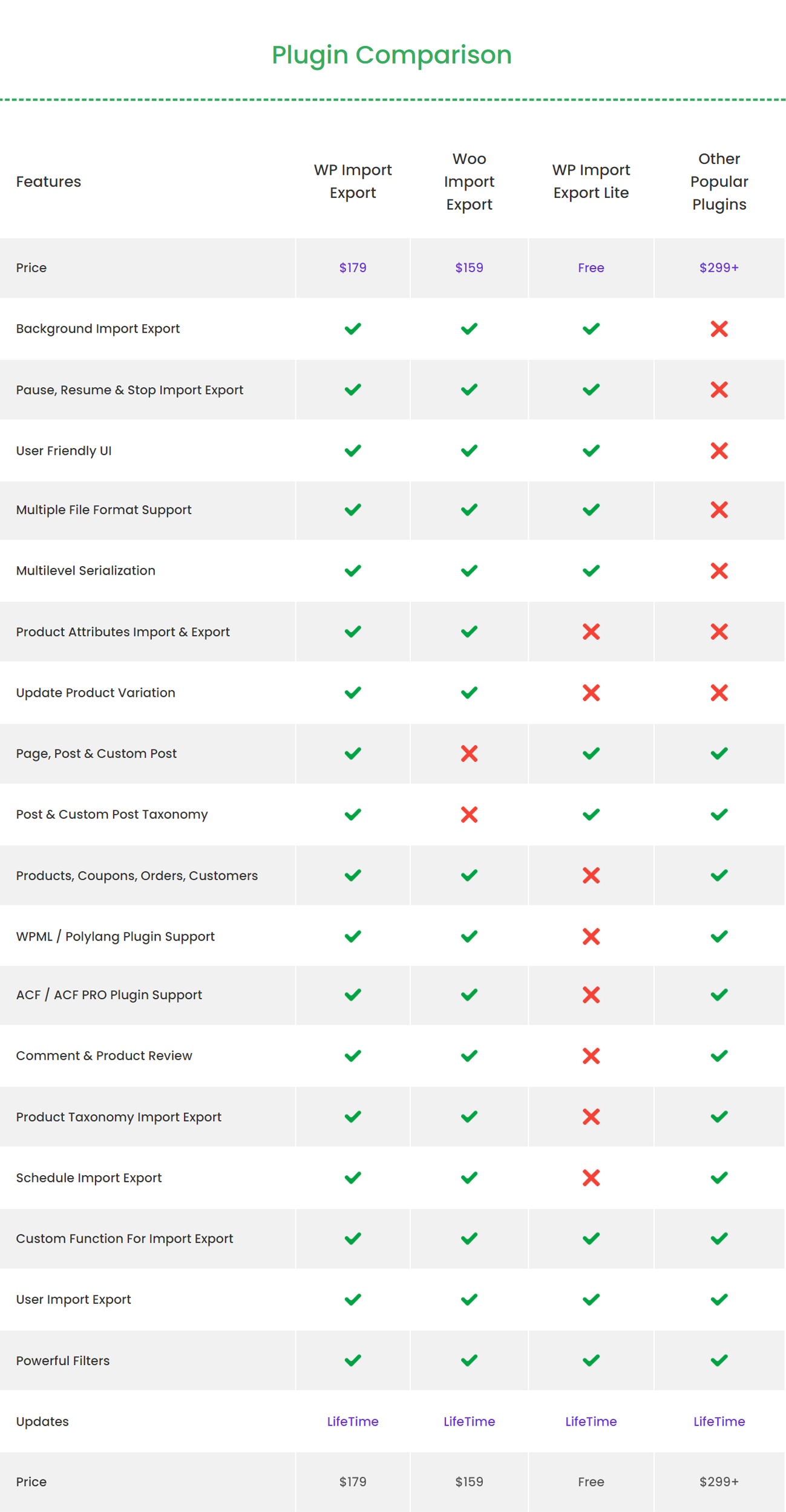
Plugin Comparison 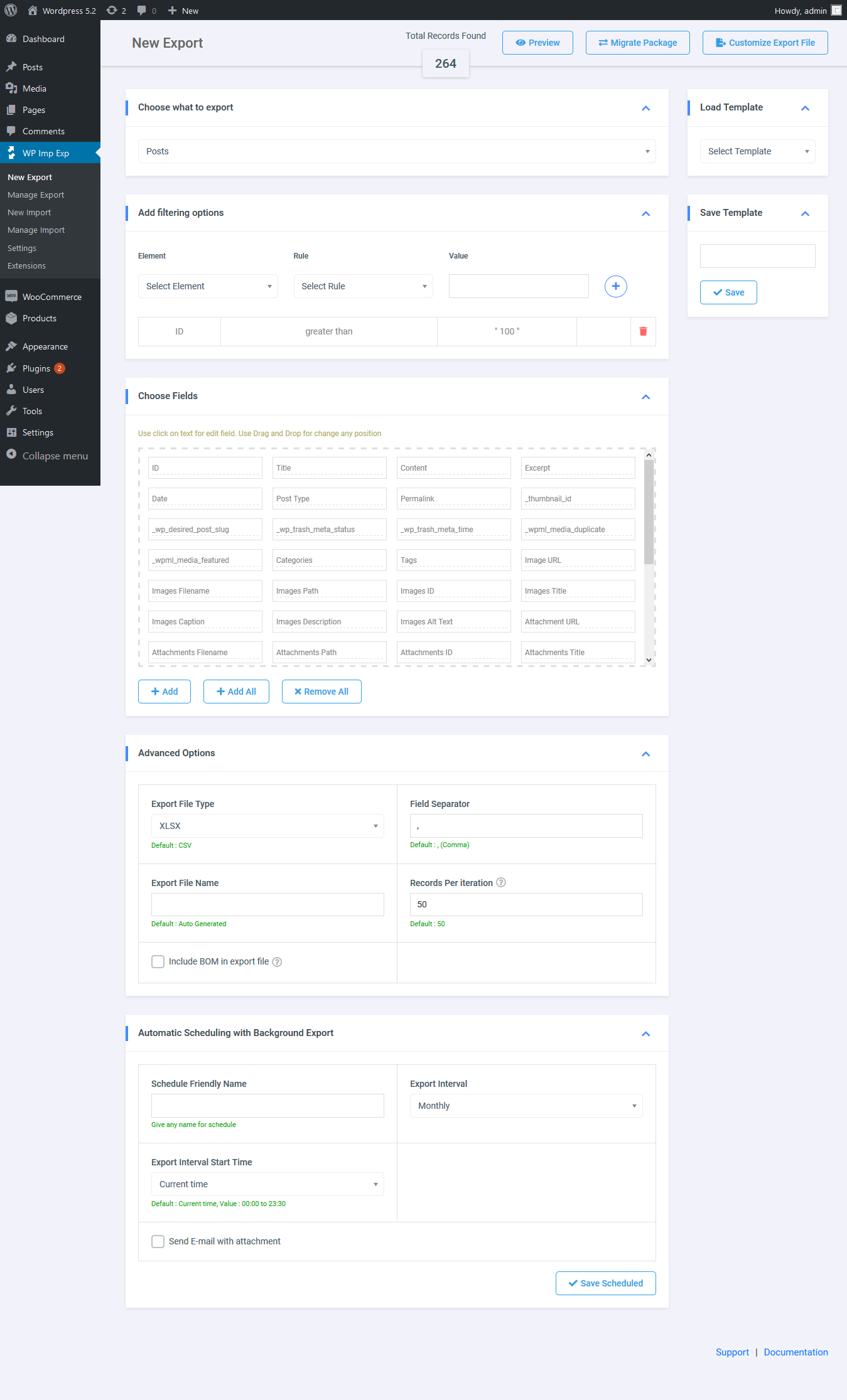
Export 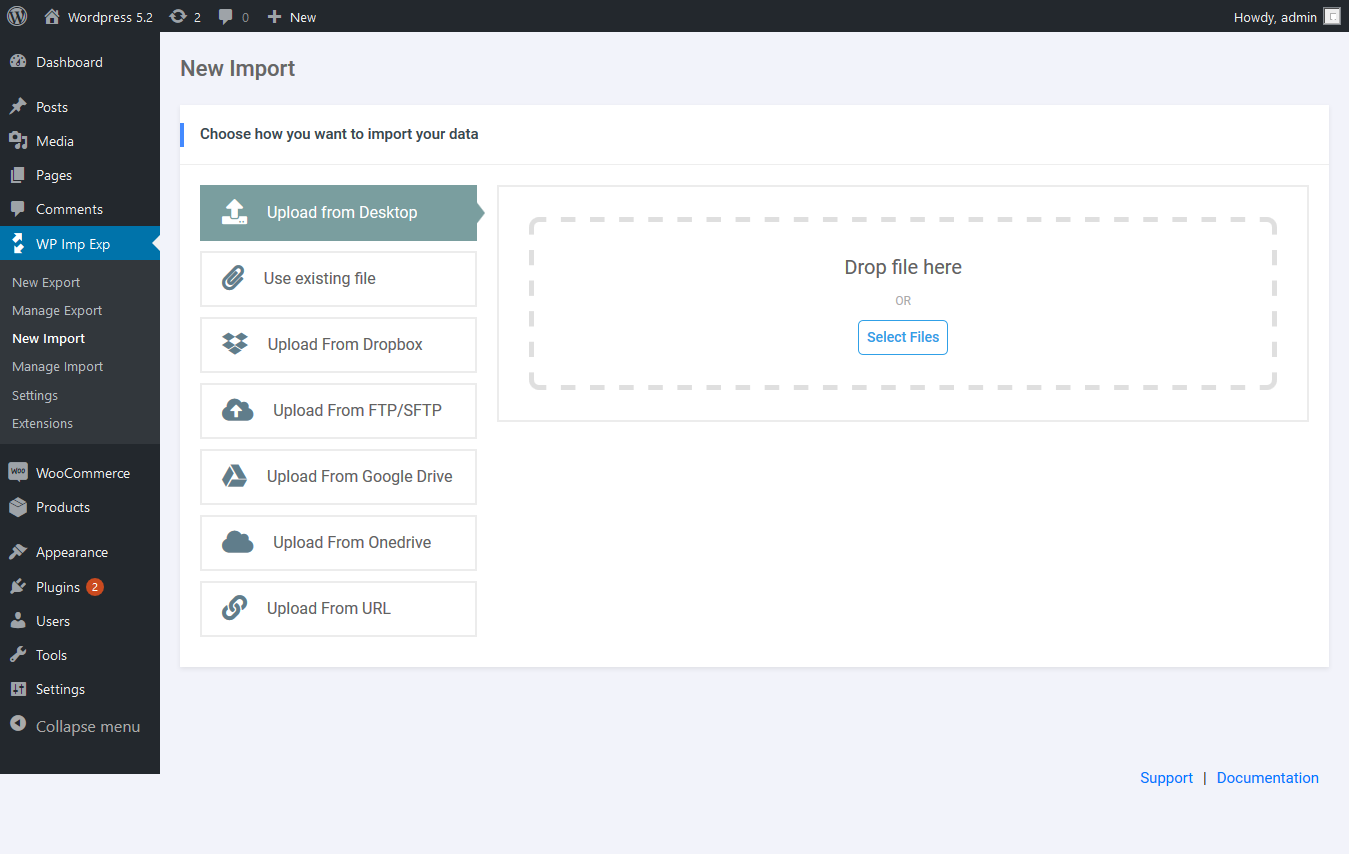
Import 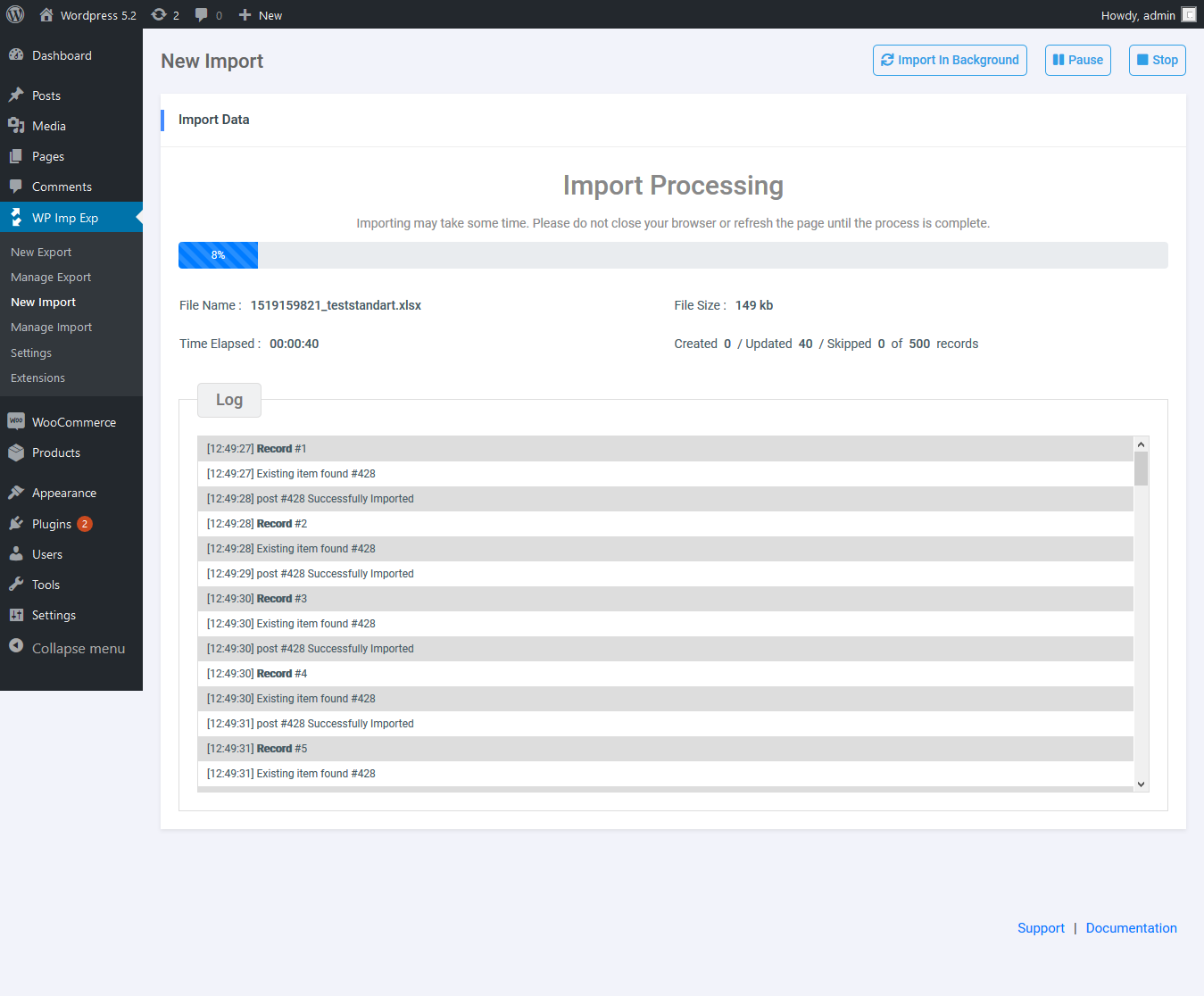
Import Process 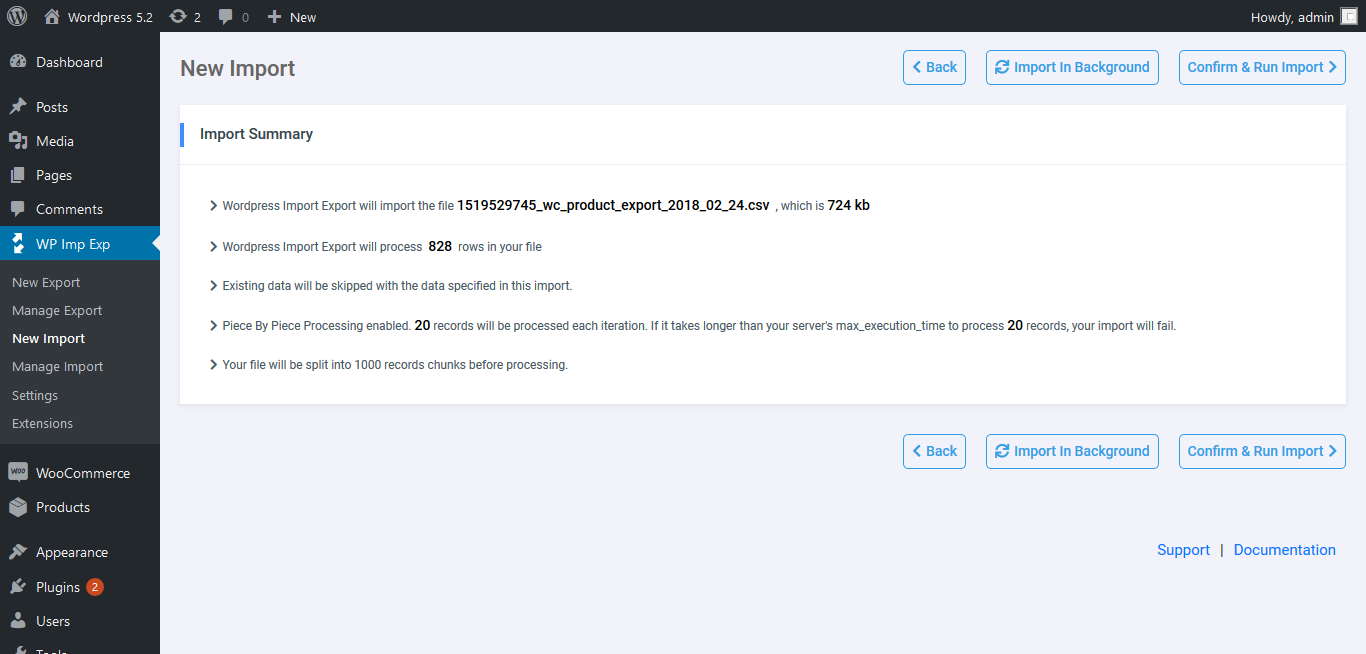
Import Summary 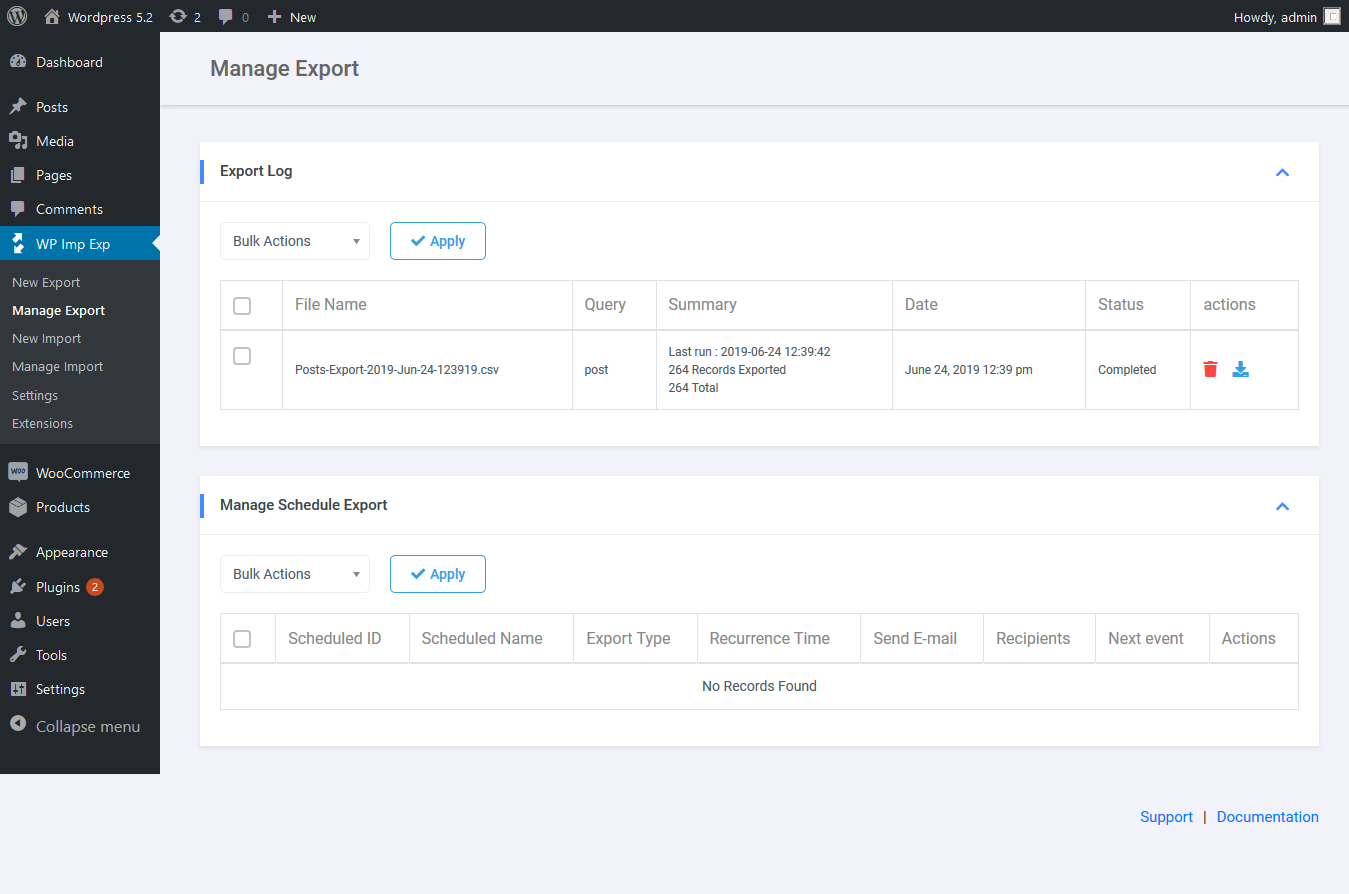
Manage Export 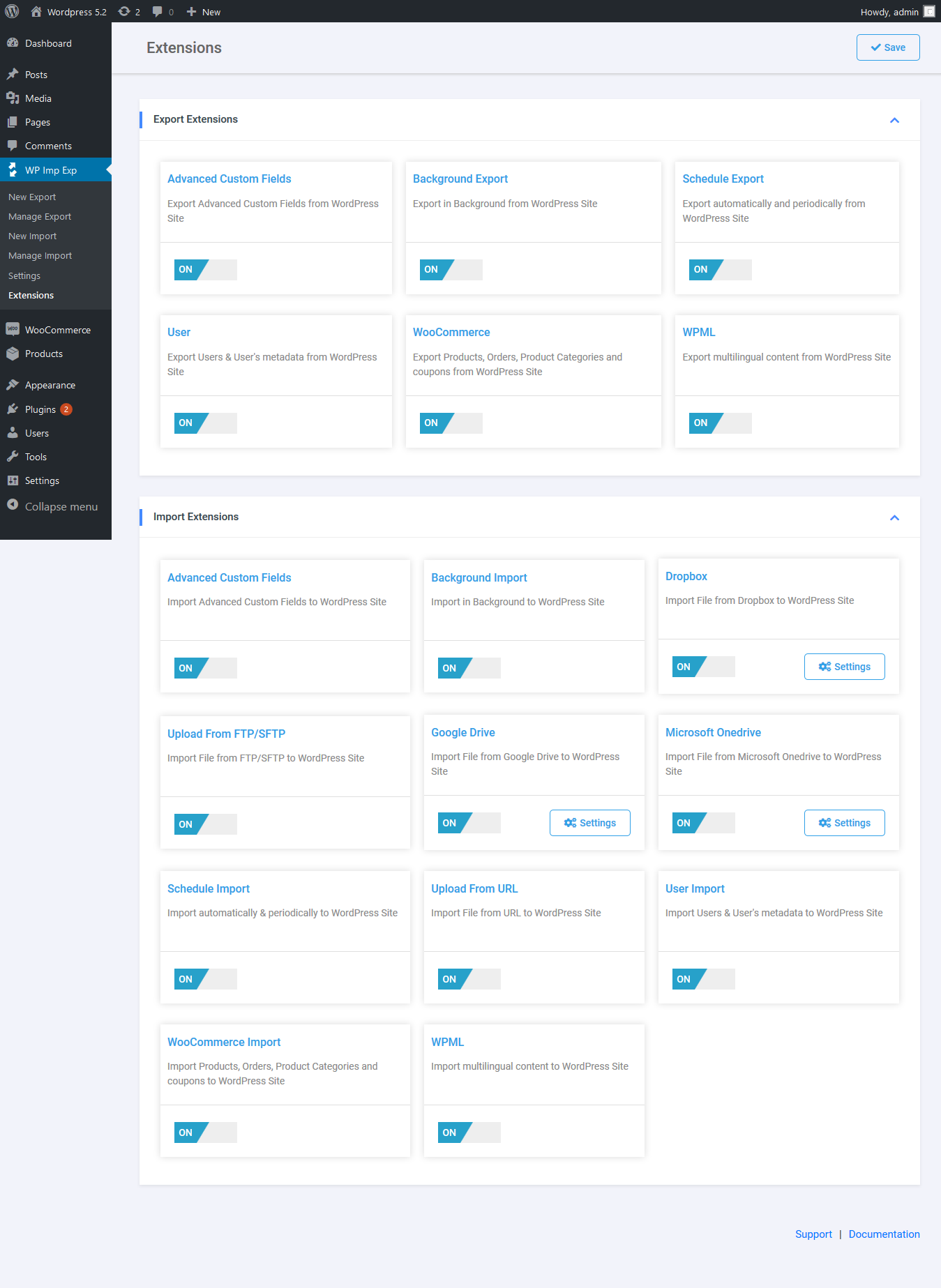
Extension
Instalação
Automatic installation
Automatic installation is the easiest way to install WordPress Import Export plugin.
To do it, log in to your WordPress admin panel and go to : Plugin -> Add New and click on Upload Plugin.
Select the zip file and click on Install Now. After clicking that link, you will be asked if you are sure you want to install the plugin. Click yes and WordPress will automatically complete the installation process
Manual installation
The manual installation involves uploading all the files to your web server through a FTP software.
Unzip the archive, then upload the wp-import-export-lite folder to wp-content/plugins directory.
Finally activate the plugin through your WordPress admin.
Avaliações


Contribuidores e programadores
“WP Import Export Lite” é software de código aberto. As seguintes pessoas contribuíram para este plugin:
Contribuidores
“WP Import Export Lite” foi traduzido para 4 locales. Obrigado aos tradutores pelas suas contribuições.
Traduza o “WP Import Export Lite” para o seu idioma.
Interessado no desenvolvimento?
Consulte o código, consulte o repositório SVN, ou subscreva o registo de alterações por RSS.